Retrieval-Augmented Generation (RAG) for SaaS Teams
RAG grounds AI answers in your own content instead of model memory. How retrieval, chunking, and evaluation work in a real SaaS product.

Large language models are impressive, but they have a weakness that matters for real products: they answer from memory, and memory goes out of date and sometimes invents details. Retrieval-augmented generation — RAG — fixes this by giving the model your content at answer time. Instead of asking the model a question and hoping it knows, you first retrieve the relevant documents from your own knowledge base, then let the model answer using those documents as its source. The result is answers grounded in facts you control.
How RAG Works
A RAG system has two phases. At index time, your content — help articles, documentation, product pages — is split into chunks, each chunk is converted into an embedding (a numerical representation of its meaning), and the embeddings are stored in a vector database. At query time, the user’s question is embedded the same way, the most similar chunks are retrieved, and the model receives the question plus those chunks, with instructions to answer from the provided material and say when the answer is not in it.
The retrieval step is where quality is won or lost. If the wrong chunks are retrieved, even the best model gives a wrong answer. Two decisions matter most. First, chunking: chunks should be small enough to be precise — a paragraph or a section, not a whole page — but large enough to carry context, with headings preserved so the model knows what it is reading. Second, ranking: pure similarity search works well for straightforward questions, but adding keyword matching for exact terms (product names, error codes, version numbers) and re-ranking the top candidates catches the cases where meaning alone is not enough.
Building It in a SaaS Product
For a SaaS team, the practical shape is simple: a pipeline that re-indexes content when it changes, a retrieval service that returns the top few chunks for a question, and a generation step that composes the answer. Keep the pipeline boring — a scheduled job or a webhook on content change, not a real-time distributed system — and keep the human in the loop: show users the sources the answer came from, let them correct or flag a wrong answer, and log the questions the system could not answer, because those are your content gaps.
Evaluation is the part teams skip and then regret. Before shipping, build a set of real questions with known-correct answers drawn from your content, and measure how often the system retrieves the right chunks and how often the final answer is correct. Re-run that set on every change to the pipeline — chunk size, embedding model, prompt — so improvements are measured rather than assumed. A RAG system without an evaluation set is a system you cannot improve with confidence.
There are limits to respect. RAG does not make a model reason better, and it does not fix a knowledge base that is itself wrong or out of date — garbage in, grounded garbage out. It adds latency and cost per query, since every question needs a retrieval step and a larger prompt. And some questions have no good answer in your content at all; the correct behaviour then is to say so and route the user to a human, not to invent one.
RAG is not a cleverer model. It is a system that lets a model answer from your facts instead of its memory.
Start small: one content set, one evaluation set, one user-facing surface such as help search or a support assistant. Measure retrieval quality first, generation quality second, and expand only when the numbers justify it. For teams already exploring AI in web development, RAG is the most practical first AI feature to ship — because its answers are checkable, its sources are yours, and its failures are visible.
Related Blogs

How to build an Application with modern Technology
Building a modern application is less about picking the trendiest tools and more about making a small set of decisions well: what the product must do, how it will grow, and how your team will keep shipping after launch day. The stack matters, but the architecture and the habits around it matter more. Start with the Problem, Not the Stack Before writing any code, write down what the application must do for its users. Who uses it, what tasks do they complete, and what does success look like? A clear list of core user journeys — sign up, create something, find something, pay for something — becomes the backbone of your architecture. Everything that is not on that list is a candidate for later. Sketch the boundaries early. Separate the parts that change often (user interface, business rules) from the parts that should rarely change (data storage, authentication). Even in a small application, keeping these concerns apart means you can replace a library or a service later without rewriting the whole product. Choose a Stack You Can Operate Modern web development offers more good options than any team can evaluate. A practical default for most products is a typed language, a component-based frontend framework, and a hosted backend or serverless platform that handles the undifferentiated work of servers, scaling, and backups. TypeScript has become the sensible default for JavaScript applications because it catches a whole class of mistakes before runtime and makes refactoring safer as the codebase grows. For the frontend, a framework such as React gives you a component model and a large ecosystem; a meta-framework such as Next.js adds routing, server rendering, and performance tooling on top of it. On the backend, a small API service backed by a managed database is usually enough to start — you can split it into services later, when a real scaling problem appears, rather than before. Resist the urge to adopt every new tool at once. Each dependency is a long-term commitment: it needs updates, it can break, and someone has to understand it. Prefer boring, well-documented choices for the core, and experiment at the edges. Design for Change Applications live or die by how easy they are to change. A few practices pay for themselves quickly:Keep components small and focused. A component that does one thing is easy to test, reuse, and replace. Put business logic behind clear boundaries. When the rules for pricing or permissions live in one place, they can be tested in isolation and changed without touching the interface. Automate the repetitive work. Linting, formatting, type checking, and tests should run automatically on every change, so quality does not depend on anyone remembering to check. Design the data model around access patterns. Decide how data will be read before deciding how it is stored; the queries your product actually runs should be fast by design, not by accident.Ship in Small Slices The fastest way to learn whether an application works is to put a small version in front of real users. Build the thinnest version of each core journey, release it, watch how people use it, and then iterate. A feature that nobody uses is the most expensive kind of code — it still has to be maintained. Deployment should be boring: a pipeline that builds, tests, and deploys on every merge, with rollbacks that take minutes rather than hours. If deploying feels risky, the pipeline is the problem, not the team. Monitoring and error tracking belong in the first release, not the tenth — you cannot fix what you cannot see. Creative Design Technology choices and visual design are not separate concerns. Performance is part of the user experience: an interface that loads slowly or stutters feels broken no matter how good it looks. Keep the design system consistent — one set of spacing, typography, and colour tokens used everywhere — so new screens look like they belong to the same product without extra effort.A good architecture is one that lets a small team change its mind cheaply.The goal is not a perfect system on day one. It is a system that a team can understand, test, and evolve — one small, confident release at a time.

John Doe
Software Engineer
04 Apr, 2022
Building Real-Time Applications with WebSockets
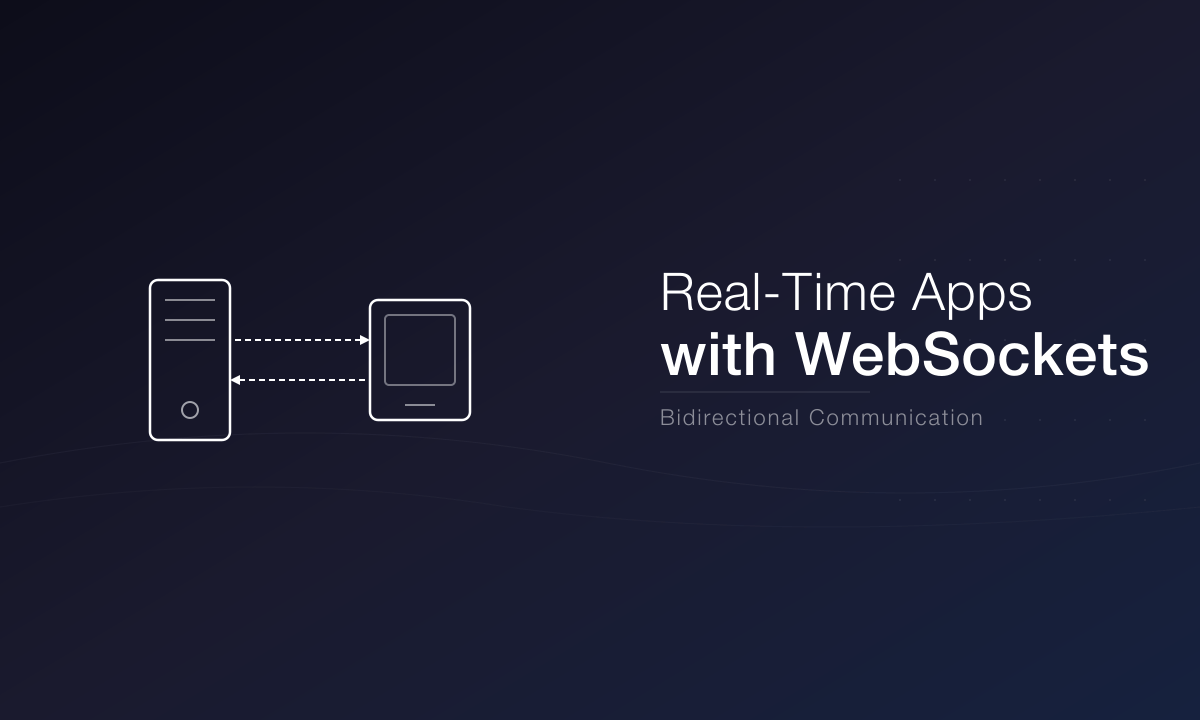
Real-time communication is at the heart of modern web applications. From chat applications to live dashboards, WebSockets provide a persistent connection between the client and server, enabling instant data exchange without the overhead of HTTP polling. When a user sends a message, edits a document, or watches a price move, the update should arrive now — not on the next refresh, and not after a poll that fires every few seconds whether anything changed or not. Understanding the WebSocket Protocol A WebSocket connection starts as an ordinary HTTP request that asks to upgrade to the WebSocket protocol. Once the server agrees, the connection stays open and both sides can send messages at any time, in either direction, with very little overhead per message. That is the fundamental difference from HTTP: request-response becomes a conversation. On the client, the browser's WebSocket API is deliberately small — open, message, error, close — and the real engineering lives around it. Messages need a shape: agree on a JSON envelope with a type field and a payload, so both sides can route messages without guessing. The client needs reconnection logic with backoff, because networks drop; it needs to handle messages that arrive while it was offline, usually by resyncing state from the server after reconnecting; and it needs heartbeats so a silently dead connection is detected instead of looking alive. Before choosing WebSockets, check whether you actually need them. Server-sent events (SSE) are simpler when data flows in one direction, from server to client — live feeds, notifications, progress updates — because they are plain HTTP and work with existing infrastructure. WebSockets earn their complexity when the client also sends frequent updates, as in chat, multiplayer, or collaborative editing. Scaling WebSocket Applications WebSockets are stateful, and that changes how you scale. A connection lives on one specific server, so when you run several servers behind a load balancer, a message for a user connected to server A must find its way there from wherever it was produced. The standard answer is a pub/sub layer — Redis is the common choice — that every server subscribes to, so any server can publish an event and the server holding the connection delivers it. Horizontal scaling also means thinking about connection counts: each open socket holds memory on the server, so capacity planning is about concurrent connections as well as requests per second. Authenticate the connection at upgrade time, not on the first message, and enforce the same authorisation on every event you broadcast — a client should never receive updates for a room it is not allowed to see. Finally, remember that some environments do not allow long-lived connections at all; edge runtimes and serverless platforms have their own real-time offerings, and edge computing platforms now provide durable connection primitives for exactly this use case.Unlike HTTP, WebSockets maintain a persistent bidirectional connection, allowing both the client and server to send data at any time.Use WebSockets when the product genuinely needs instant, two-way updates. Design the message protocol first, plan for reconnection from the start, and put a pub/sub layer behind the servers before the second server exists — it is much harder to add later.
Emily Davis
UI/UX Designer
20 Feb, 2023
A Deep Dive into Node.js Performance Optimization
Node.js powers some of the most demanding applications on the web. Understanding how to optimize your Node.js applications can lead to significant improvements in response times, throughput, and resource utilization. The first rule is to measure before optimising: Node ships with a built-in profiler and inspector, and a flame graph from a production-like load test will tell you where time actually goes — which is rarely where you guessed. Event Loop Optimization The event loop is the heart of Node.js. Understanding how it works is essential for writing performant applications. Node runs your JavaScript on a single thread, and while I/O is handled off-thread, your code blocks that thread whenever it runs. A single synchronous operation that takes 200 milliseconds — parsing a large JSON payload, a heavy loop, a regular expression with catastrophic backtracking — delays every other request in the process for that long. The fixes follow directly. Keep request handlers light and move CPU-heavy work elsewhere: to worker threads, a child process, or a separate service. Never use the synchronous filesystem or crypto APIs on a request path. Stream large responses instead of buffering them in memory, and prefer the asynchronous variants of every API. When you do need parallelism, the worker_threads module lets you use multiple cores without leaving Node. Memory Management Most Node performance incidents are memory incidents. The usual suspects are unbounded caches, event listeners that are never removed, and closures that accidentally hold references to large objects long after they are needed. Watch the heap in production: a heap that grows steadily and never comes back down is a leak, and the inspector's heap snapshots can show you exactly which objects are accumulating. Beyond leaks, the biggest wins are structural. Cache the results of expensive computations and frequent database queries — in memory for single-process caches with a size limit and TTL, or in Redis when several processes share the load. Use connection pooling so database connections are reused instead of renegotiated per request. Compress responses, set sensible cache headers so CDNs and browsers do the work for you, and cluster the process across CPU cores so one core's worth of JavaScript is not your ceiling. One more decision matters more than any micro-optimisation: run a supported version. Node.js 20 reached end of life in April 2026 and receives no security fixes; as of late 2026 the supported lines are Node.js 26 (Active LTS) and Node.js 24 and 22 (Maintenance LTS). Running an end-of-life runtime is both a performance and a security risk, since newer versions carry years of V8 and runtime improvements. Pin your Docker base image to a major line, such as node:24-alpine, and upgrade on a schedule rather than under pressure. If you containerise your services, our Docker guide covers the workflow.The event loop is the heart of Node.js. Understanding how it works is essential for writing performant applications.Profile first, fix the hot path, cache deliberately, and stay on a supported LTS line. That combination covers nearly every Node performance problem in practice.
David Chen
Full Stack Developer
14 Mar, 2023